Simplify Your Links with CloseBy®
CloseBy® is here to make your text marketing experience as seamless and uncomplicated as possible. One core perk that we offer is a URL shortener! This feature can be useful in lots of ways, from preserving character space to tracking engagement. Whether you’re guiding clients to make a purchase, showcasing new inventory, promoting your latest social media post, or sharing important event details, our URL shortener makes it easy.
Need help finding and using this feature? Follow the steps below to get started!
STEP ONE
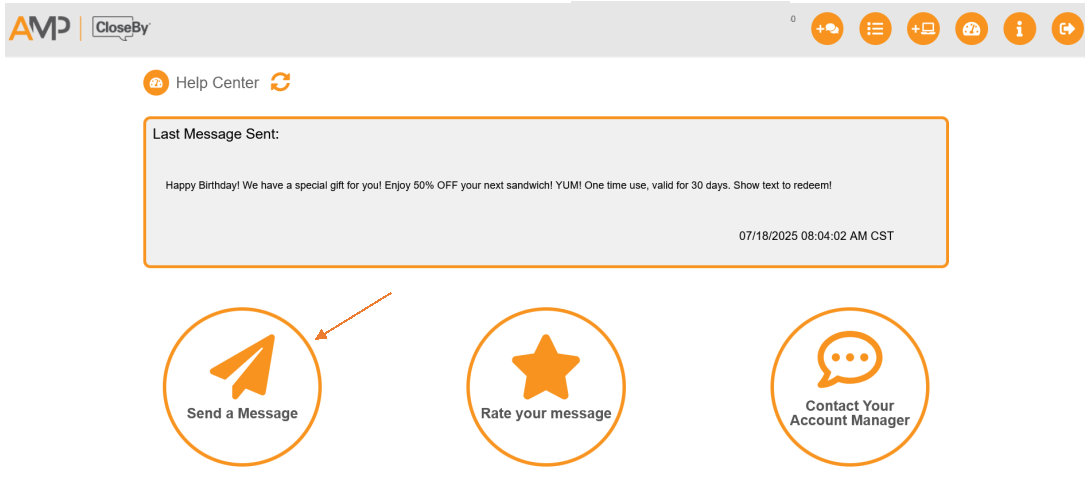
In the Dashboard, click Send a Message to open the Message Details screen.
STEP TWO
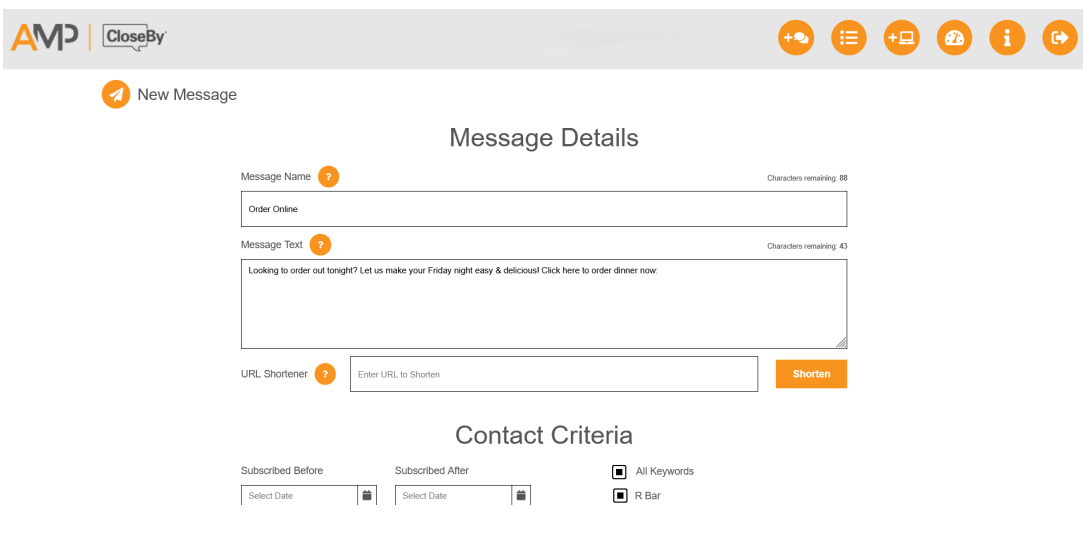
Next, type out your message. When including a link, make sure customers understand exactly what they will see when they click it. For example: Click here to order, Click the link to view our Facebook page, To see new inventory, click here.
With so many spam links circulating, it’s important to reassure them that yours is safe and secure.
STEP THREE
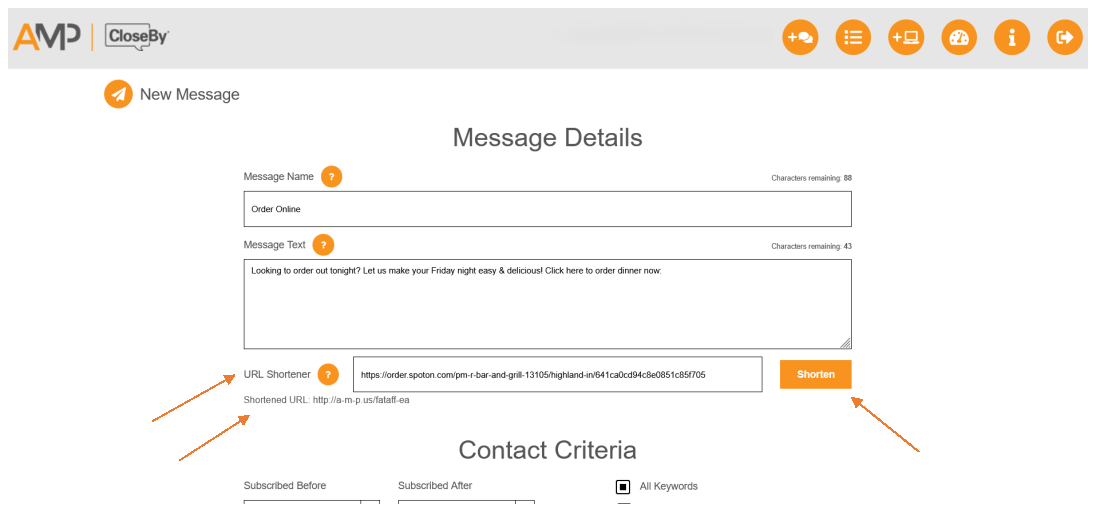
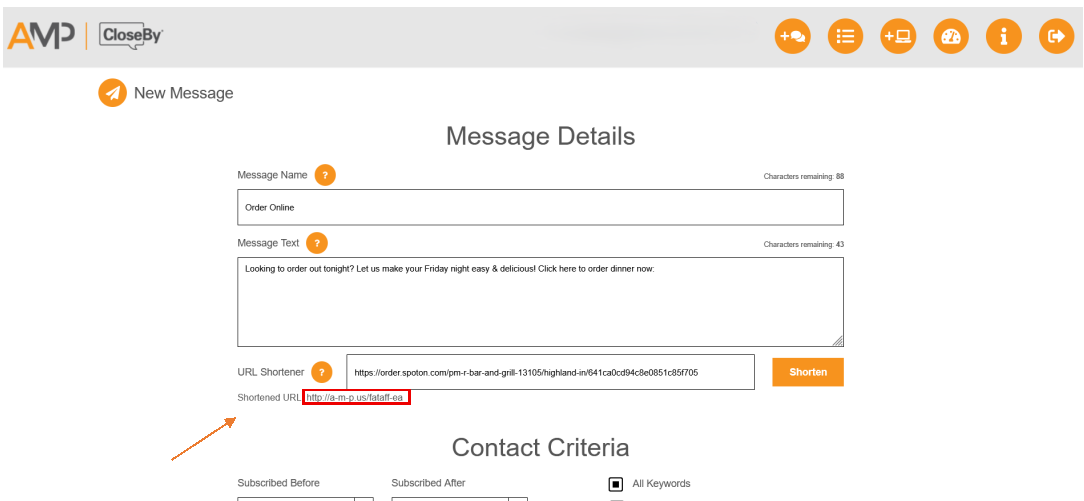
When you’re ready to add your link, open the desired page in a separate browser tab. Copy the full URL from the address bar (beginning with www.), then return to the Message Details page. Paste the link into the URL Shortener field and click the orange Shorten button.
STEP FOUR
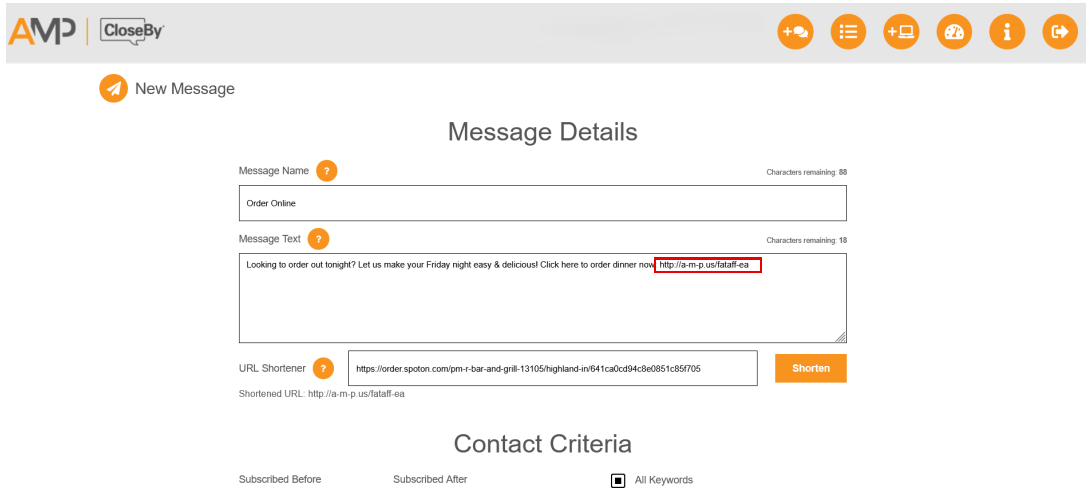
A shortened URL will appear below your original link. Copy this new link and paste it into your message text exactly where you want it to appear.
NOTE: The shortened link will not be inserted automatically. You must copy and paste it into your message before sending.
STEP FIVE
Once your message is complete and includes the new link, you are ready to send or schedule your text!
TIPS AND REMINDERS
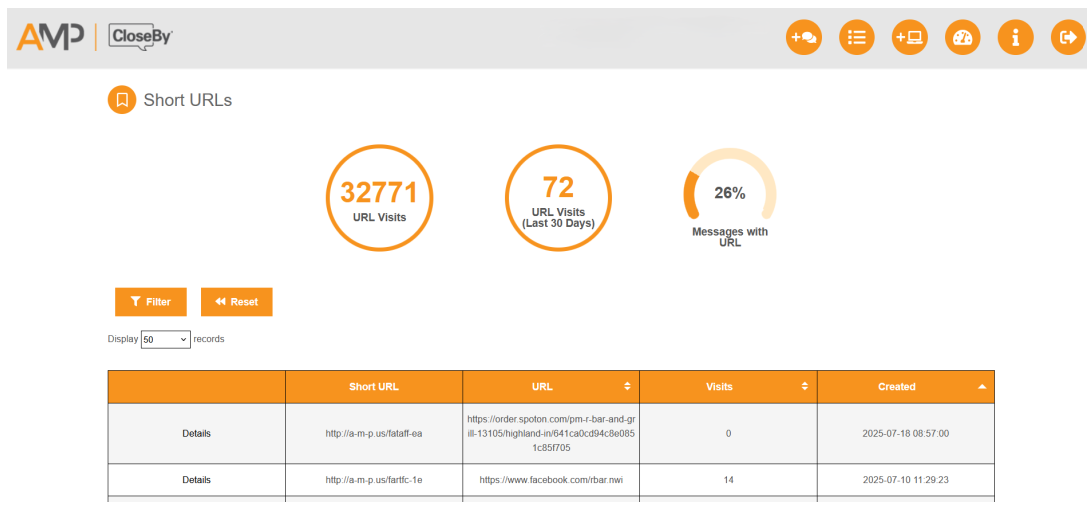
Want to see how many people have opened your links? Click the Account Options button, then select Short URLs.
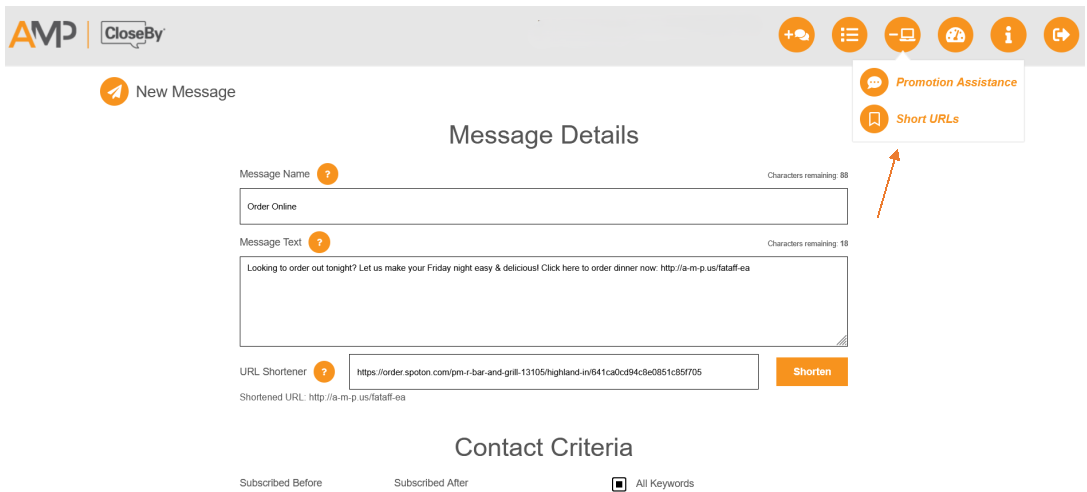
On this page, you can see the total number of URL visits overall, the number of URL visits in the last month, and the percentage of messages you have sent that included a URL.
NOTE: This percentage does not reflect the open rate of messages containing URLs.